













Master Typology/Rules Library











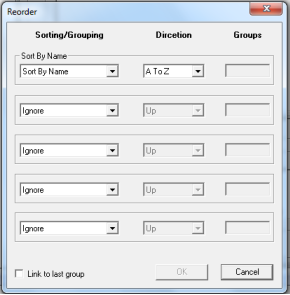
/Reorder
Create new Reorder rule
(action) -
1.
Copy and Paste the master Reorder
icon Or, drag the Reorder icon to the
Process working area below (new
process for reordering).
2.
Rename the new Reorder rule.
3.
Double click the new created Reorder
icon.
4.
Select the Sorting and Grouping order
and set parameters.
5.
Click the OK button.