





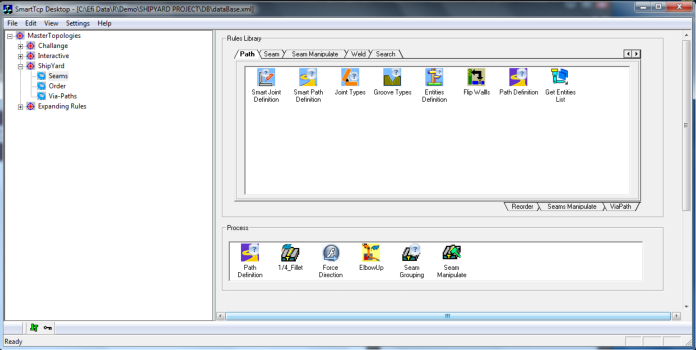



Master Typology
/MT tree
Create new Master Typology
1.
Select Master Topologies at the head of
the tree.
2.
On the mouse right click menu select New
master Topology. A new Master Typology
will be created down the tree  .
3.
Rename the new mater Typology.
4.
On the mouse right click menu of the new
MT, select Add New Process. A new
process will be created .
5.
Rename the new process.
6.
Create the process.
.
3.
Rename the new mater Typology.
4.
On the mouse right click menu of the new
MT, select Add New Process. A new
process will be created .
5.
Rename the new process.
6.
Create the process.
.
3.
Rename the new mater Typology.
4.
On the mouse right click menu of the new
MT, select Add New Process. A new
process will be created .
5.
Rename the new process.
6.
Create the process.