




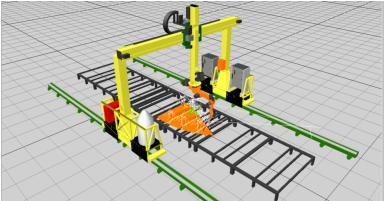

Main Screen/Interactive Screen
1.
Use Ctrl-Left Mouse to Orbit the robot cell
model.
2.
Use Shift-Left Mouse to Zoom the robot cell
model in and out.
3.
Use Alt-Left Mouse to Pan the robot cell
model.
4.
Select Interactive from the right mouse
menu. Point the mouse cursor on the robot
cell axis and hold the left mouse to move the
axis.
5.
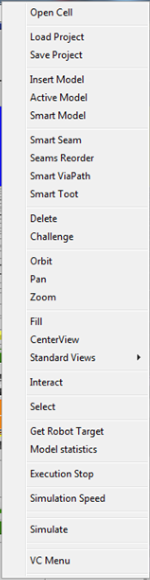
Use the right mouse menu to choose options.
6.
Select  on the upper side of the Main
Screen. Pick component by pointing the
mouse cursor on location related to the
component and click the left mouse button.
Alternatively pick the component on the
Programming Tree. A green indication will
show on the model.
on the upper side of the Main
Screen. Pick component by pointing the
mouse cursor on location related to the
component and click the left mouse button.
Alternatively pick the component on the
Programming Tree. A green indication will
show on the model.
on the upper side of the Main
Screen. Pick component by pointing the
mouse cursor on location related to the
component and click the left mouse button.
Alternatively pick the component on the
Programming Tree. A green indication will
show on the model.

Interactive main Screen