






Main Screen/Smart Icons/Seams Re-Order


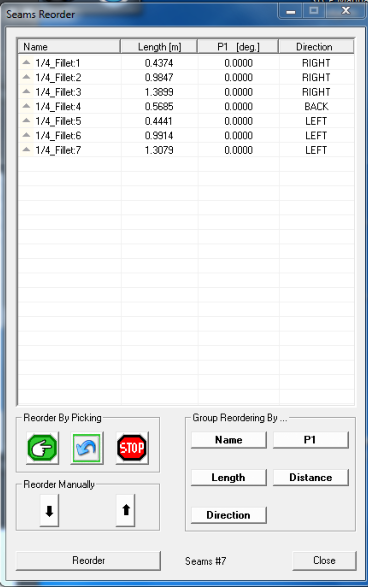
1.
Click the Start picking button  .
2.
On the Interactive Screen 3D model
select seams in desire order.
3.
Click the Stop button.
4.
Click the Reorder Button.
.
2.
On the Interactive Screen 3D model
select seams in desire order.
3.
Click the Stop button.
4.
Click the Reorder Button.
.
2.
On the Interactive Screen 3D model
select seams in desire order.
3.
Click the Stop button.
4.
Click the Reorder Button.

Reorder By Picking
1.
Select seam from the seams list in the
spreadsheet.
2.
Move the seam up and down by the
arrows buttons.
3.
Click the Reorder Button.
Reorder Manually
Group Reordering